
Bluefy
LiveTurn your phone into a Bluetooth keyboard, mouse and trackpad for any computer, with nothing to install on it.
About
Bluefy turns your phone into a Bluetooth keyboard, mouse and trackpad for any computer. The computer pairs it the way it pairs any other keyboard, and nothing gets installed on it.
That difference is the whole product. Bluefy is a Bluetooth HID peripheral, not remote desktop software. There is no server to run on the computer, no WiFi network to join and no logged-in session to wait for. It works on Windows, macOS, Linux, ChromeOS, Android TV and single board computers like the Raspberry Pi. It works at the login screen before anything has started, and in BIOS and UEFI menus, where a network app cannot exist.
Use it when the mouse dies, when the media PC is across the room, or when you are presenting and the laptop is out of reach.
Trackpad
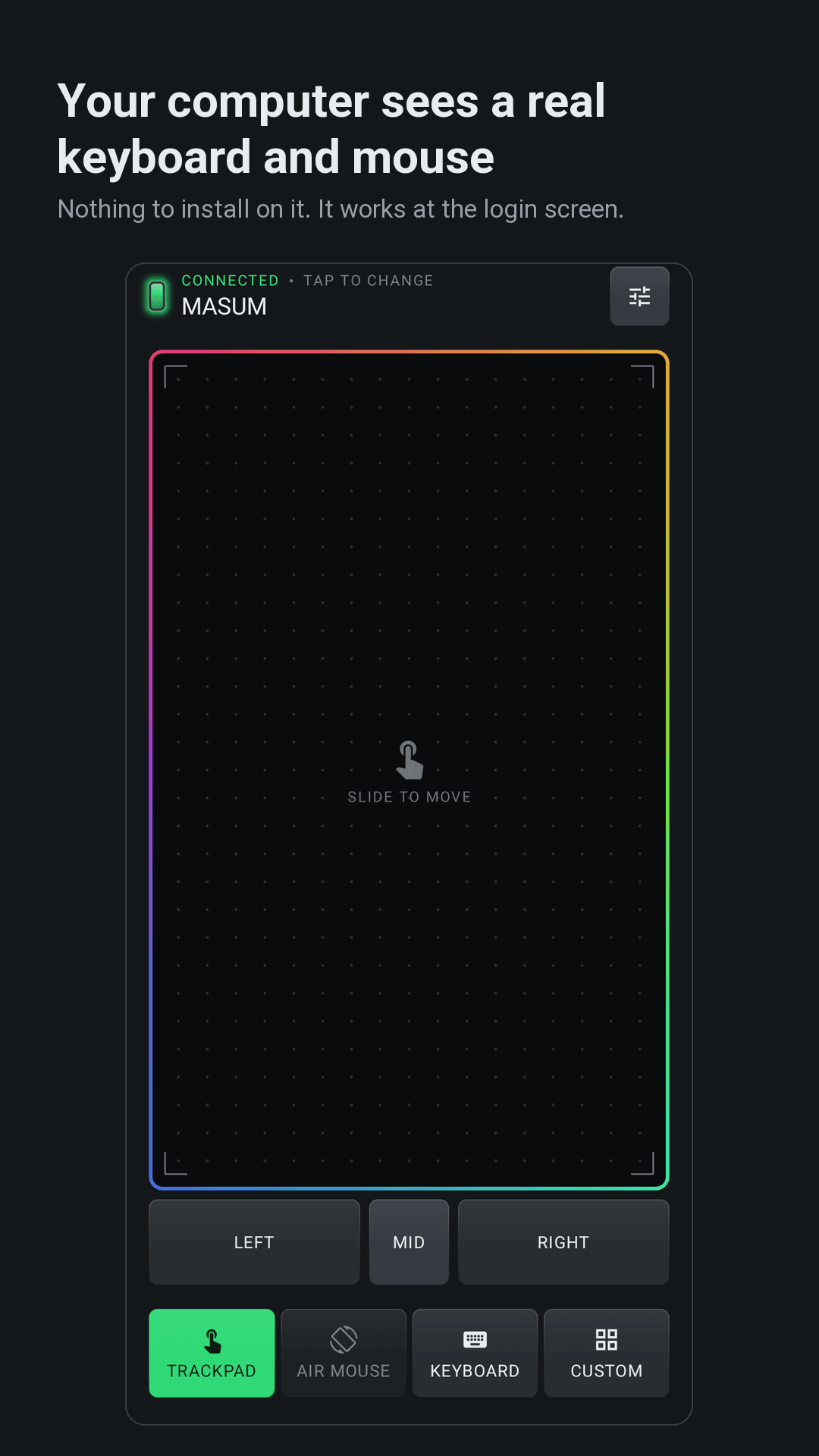
One finger moves the cursor. Tap to click, two-finger tap for right click, three-finger tap for middle. Hold, then move, to drag. Two fingers scroll both axes with coasting, pinch zooms, and a three-finger swipe goes back or forward. The left, right and middle buttons hold while pressed, so a drag can run from them too. A keyboard can sit on the pad when you need one.
Air mouse
Hold the clutch and the gyroscope drives the cursor, so you can point at the screen from the sofa. Sensitivity is adjustable. This mode needs a gyroscope and switches itself off on phones without one.
Keyboard
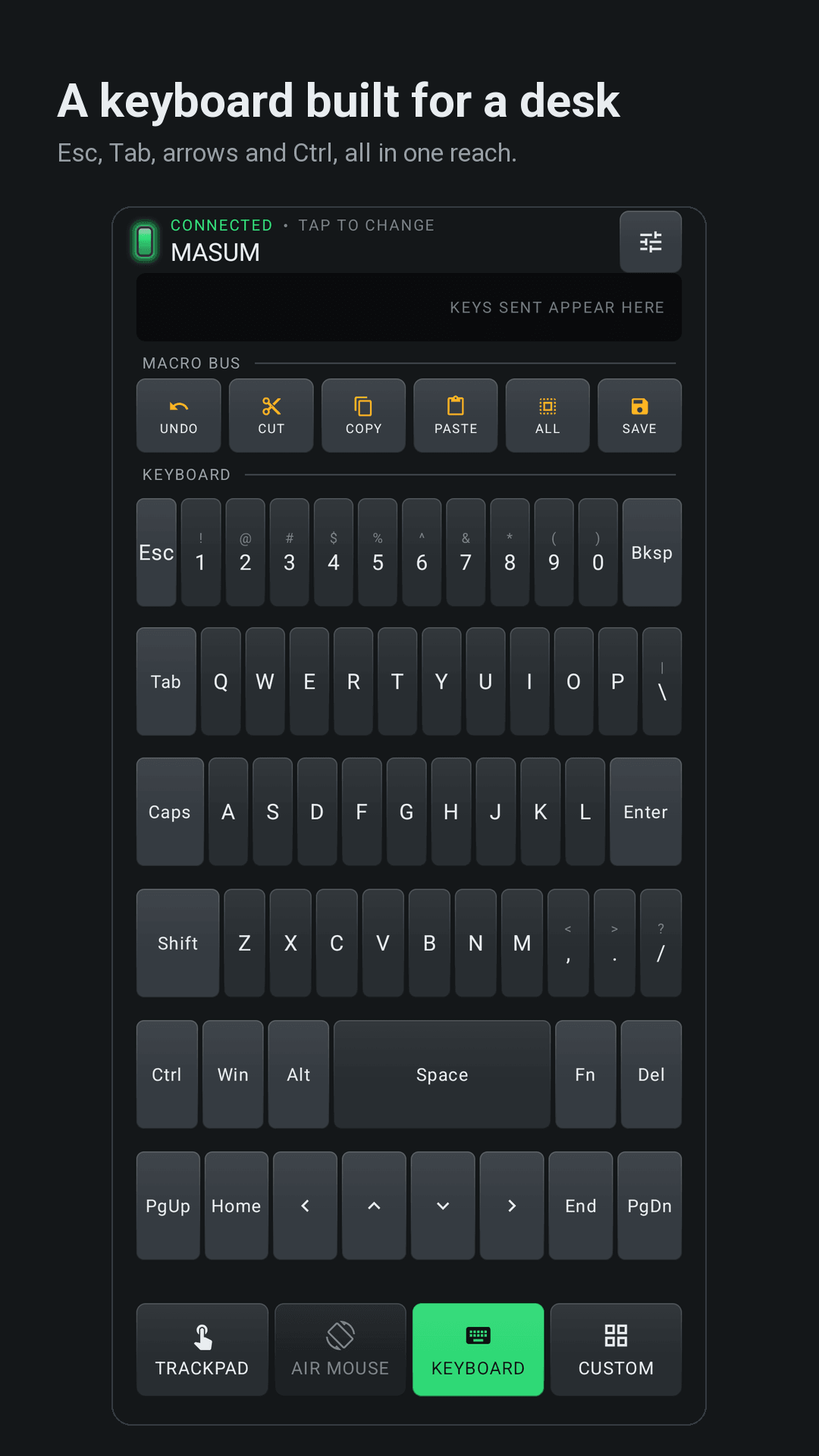
A full layout with the desk strip a phone keyboard never has: Esc, Tab, arrows and Del. Ctrl, Win, Alt, Space and Enter stay on every layer, so Ctrl+C is one reach. There is a symbols layer, F1 to F5, F11 and F12, and PgUp, PgDn, Home, End, Ins, Caps and PrtSc. Modifiers latch. Undo, cut, copy, paste, select all and save sit together on a macro bus, and an echo strip shows the last five keys you sent.
A surface you build yourself
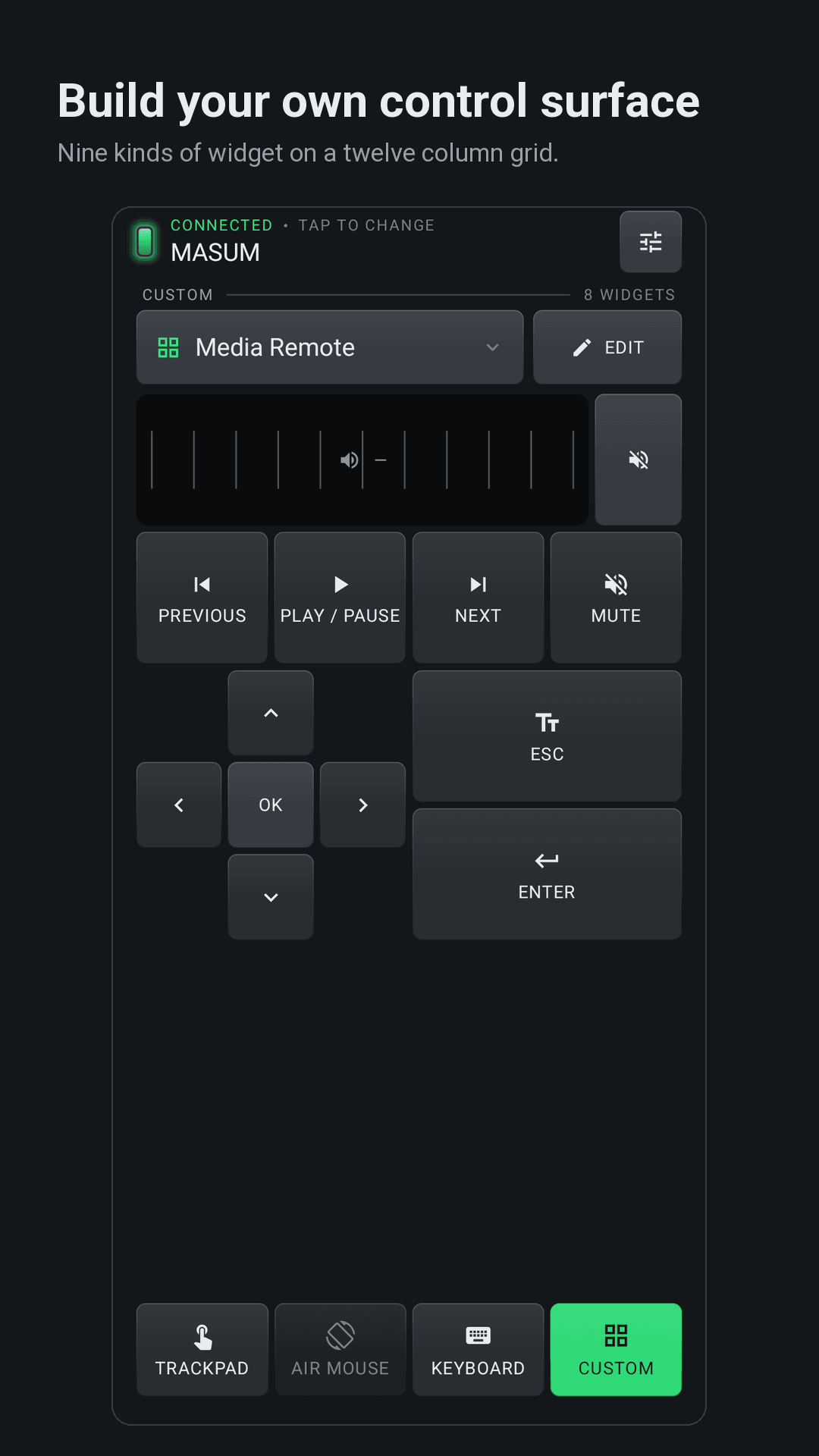
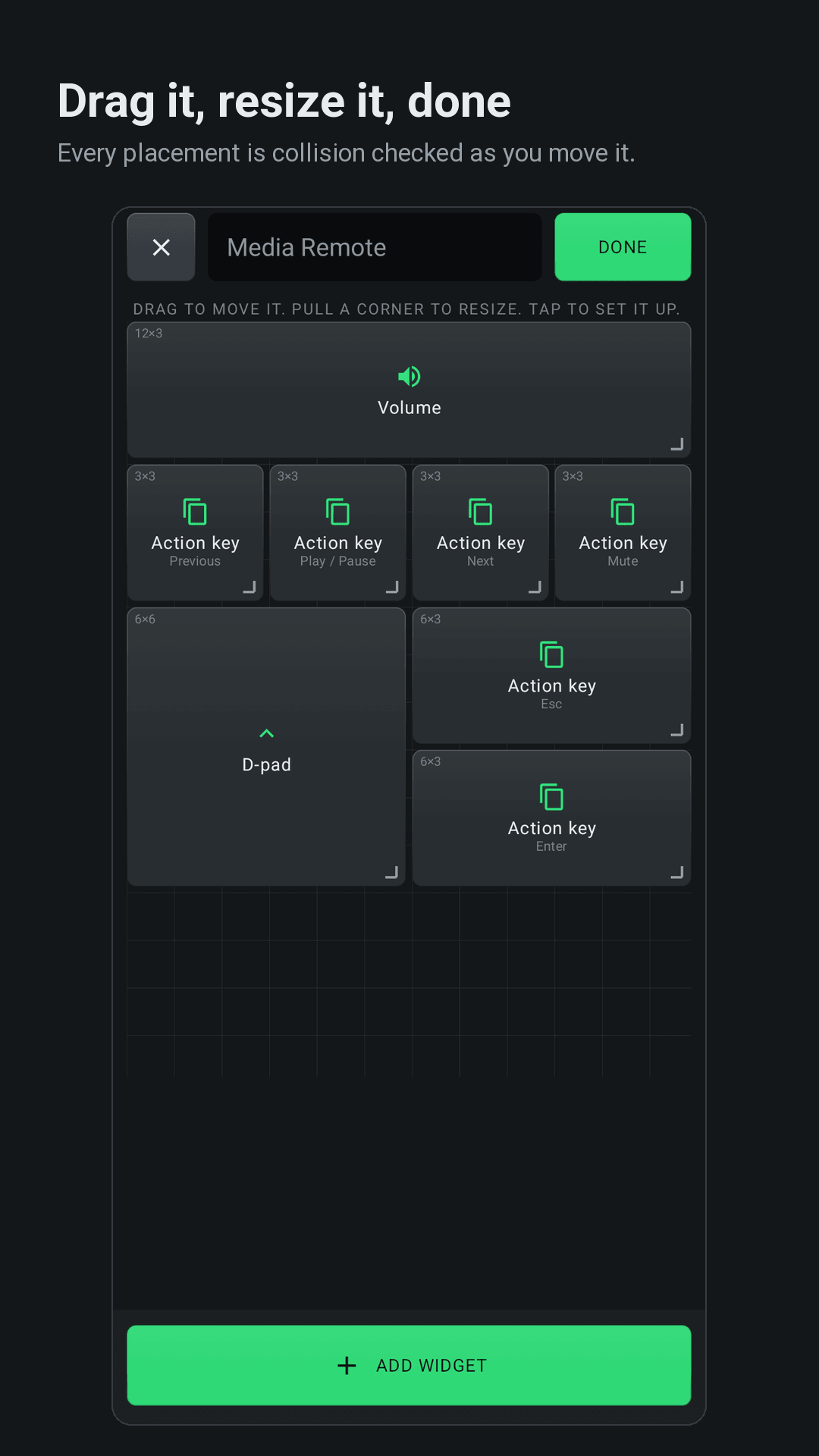
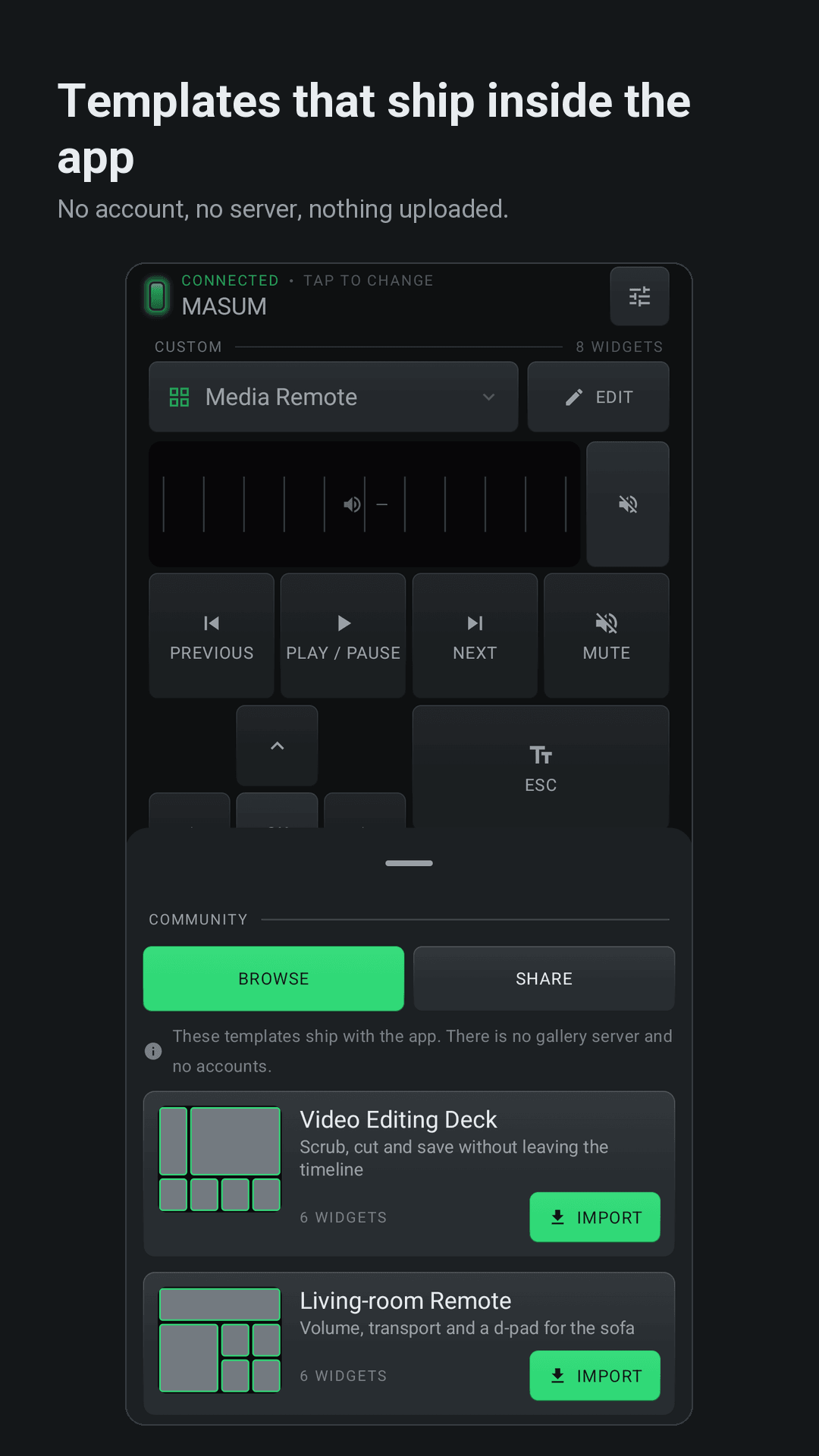
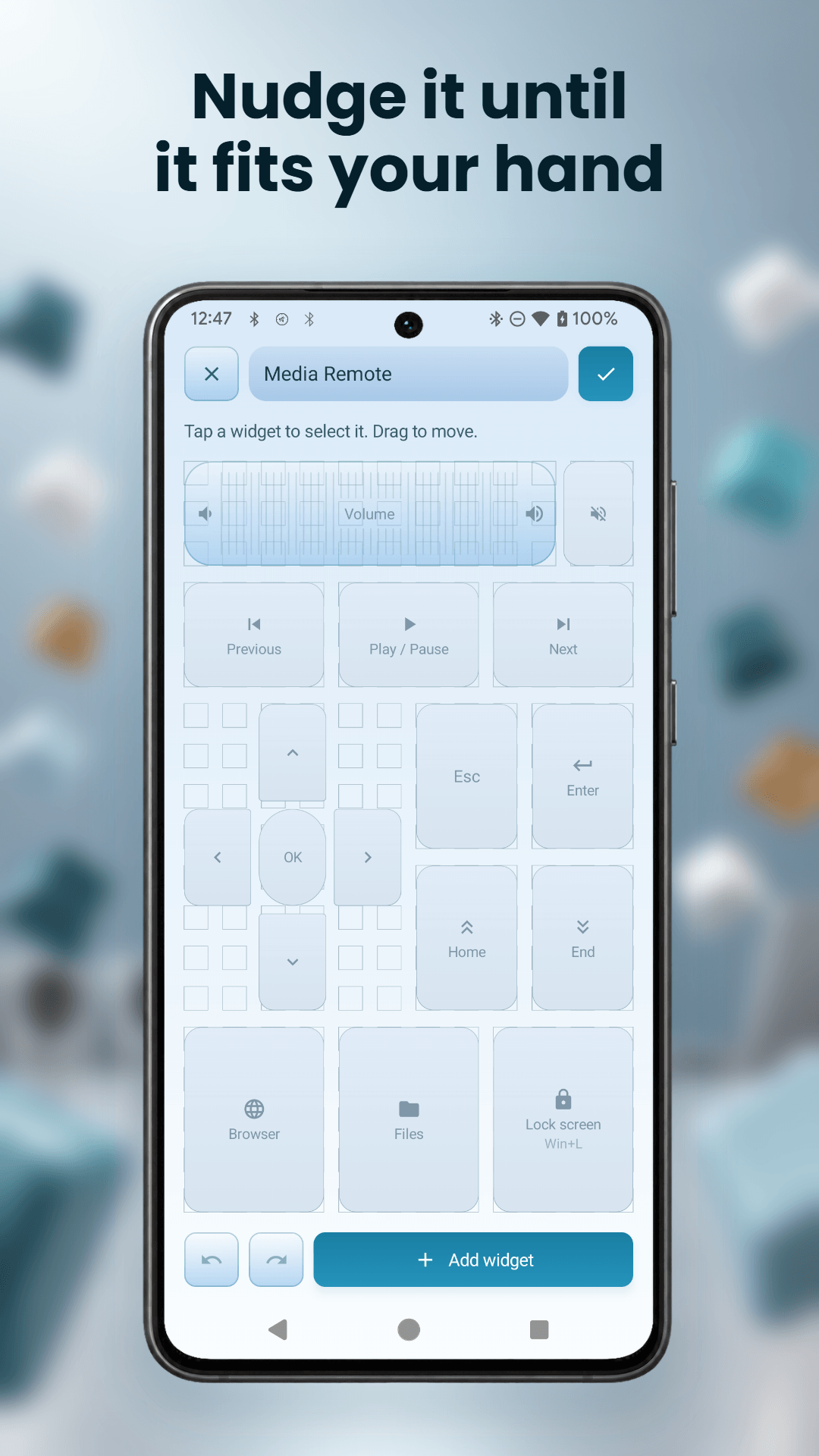
Custom mode is a twelve-column grid you drag widgets onto and resize, and the editor refuses any position that collides. There are nine widget types: trackpad, click, scroll, d-pad, action key, volume, text macro, modifier and zoom. Three presets get you started (Trackpad Pro, Media Remote, Presenter) and five templates ship inside the app: Video Editing Deck, Living-room Remote, Photo Editing, Keynote Clicker and Coder Pad. A layout is a file, so you can hand it to someone through the share sheet.
Presenter remote
Next slide, previous slide, blank screen and Esc, on a panel sized for a thumb. Bluefy pairs as a keyboard, so it drives PowerPoint, Keynote and Google Slides the way a presentation clicker does. There is nothing to plug in and nothing to lose in a bag.
Media and apps
Play and pause, next track, previous, volume up and down, mute, plus keys that open the browser, the file manager or a terminal. Volume steps the way the keys on a real keyboard step, and the computer keeps the level.
Nothing of yours goes to a server
There is no account and no sign-in. Your layouts and settings stay on the phone, and every keystroke and cursor movement goes straight to the computer over Bluetooth, never through us. Community templates ship inside the app, and sharing one exports a file through Android's share sheet.
The one thing Bluefy does send is diagnostics: Firebase Crashlytics for crash reports and Firebase Analytics for which screens and modes get used, so we know what to fix and what to build next. Neither carries your layouts, your keystrokes or the name of the computer you paired with, and neither is used for advertising. It also checks whether a newer version exists. The privacy policy lists exactly what they collect.
On Android 12 and newer it asks for no location permission either. BLUETOOTH_SCAN is declared neverForLocation, and the old location permission stops at Android 11, where the platform left Bluetooth discovery no alternative.
Free, with an optional Pro
Every control that sends something to a computer works free. Pro lifts the cap on how many custom layouts you can keep and unlocks the Macro, Modifier and Zoom widgets. It is one payment or a monthly plan, whichever suits you, and Google Play shows the price in your own currency before you decide.
What you need
Android 7.0 or newer, and a computer willing to accept a new keyboard pairing. Most are. Some corporate-managed machines block unknown HID devices, and no app can change that.
Bluefy never advertises itself. You open the add-a-device panel on the computer and Bluefy appears in the list, or you pair from inside the app. After that it tries to reconnect on its own when you open the app or when the radio comes back.
Worth knowing: pinch sends Ctrl with wheel steps, which is what a computer reads as zoom, so it works wherever that shortcut works. Text macros send US-layout scan codes, and a character with no US key is skipped rather than sent wrong.
Bluefy speaks five languages: English, Arabic, Bengali, Spanish and Hindi, with full right-to-left layout.
What you get
Get Bluefy today.
Turn your phone into a Bluetooth keyboard, mouse and trackpad for any computer, with nothing to install on it.
Need an app like Bluefy for your own idea?
We build a few client apps each year, for Android, iOS and the hardware they talk to. Tell us what you have in mind and you’ll get an honest answer on scope and cost.